What is a CRM, and what can it actually do for your business?
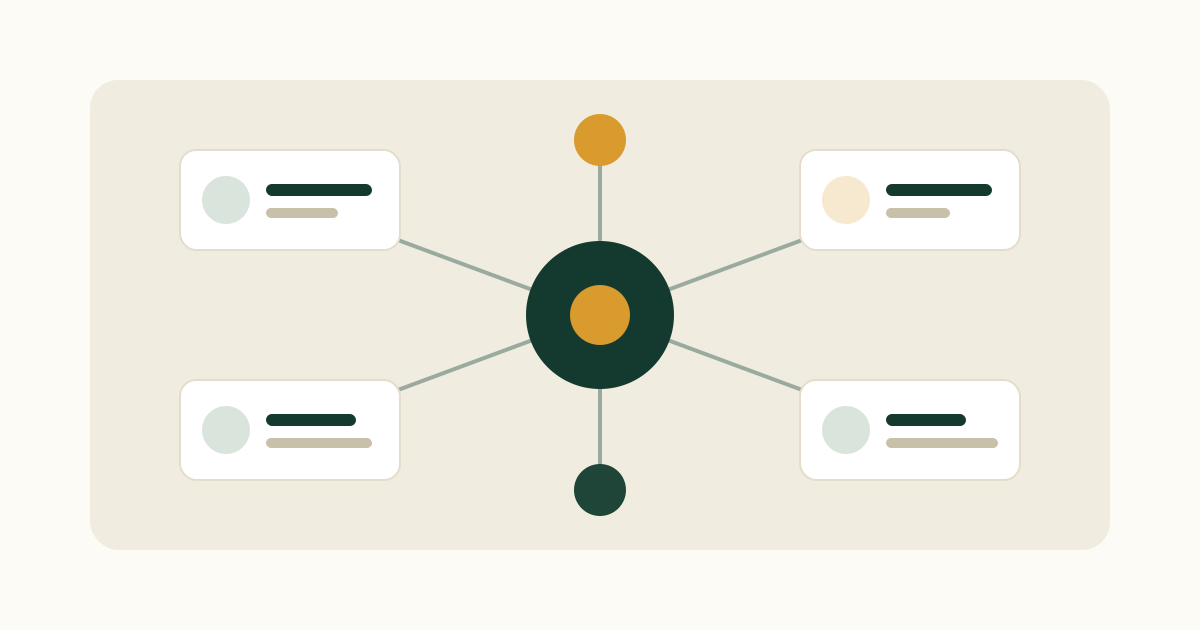
A CRM is software that keeps every customer and every conversation in one place, so your business remembers what it knows and nothing falls through the cracks. CRM stands for customer relationship management.
That is the short answer. The longer answer is more useful, because what a CRM actually does for your business depends on what you sell, how you sell it, and how many people are involved.
What does a CRM do?
Strip away the marketing and a CRM does five jobs.
Keeps your contacts in one place. Every customer, prospect and company, with the right details attached, available to everyone who needs it rather than trapped in one person's phone.
Remembers the history. Emails, calls, meetings and notes attached to the right person, so anyone can see what was last discussed and what was promised.
Tracks the work in progress. Deals or opportunities moving through stages, so you can see what is likely to close, what has stalled and what needs attention this week.
Handles the follow up. Reminders and tasks so nobody is waiting on a reply you forgot to send.
Reports on the whole picture. How much is in the pipeline, where deals fall over, which customers have gone quiet, how the team is performing.
Everything else a CRM offers is a variation on those five.
What can a CRM do for your business?
Features are easy to list and hard to care about. Here is the same thing framed as problems solved.
You stop losing business to forgetfulness. Most lost deals are not lost to a competitor. They go cold because nobody followed up at the right moment. A CRM makes that failure much harder.
Your business stops depending on individuals. When someone is ill, on holiday or leaves, the relationship history stays with the company rather than walking out with them. This alone is why many small businesses eventually buy one.
Your customers get a better experience. Nobody has to explain their situation twice. Whoever picks up the phone can see the history.
You can see what is really happening. Instead of guessing at revenue or asking everyone for updates, you look. Forecasting stops being a Friday afternoon fiction exercise.
You find the opportunities you already have. Existing customers are far easier to sell to than new ones. Research widely cited from Marketing Metrics puts the probability of selling to an existing customer at 60 to 70 percent, against 5 to 20 percent for a new prospect. A CRM is what tells you who those existing customers are and when to speak to them.
Types of CRM
You will see three categories mentioned. In practice most modern tools blend them, so do not agonise over this.
Operational CRM runs the day to day work: contacts, pipeline, tasks, automation. This is what most people mean by CRM.
Analytical CRM focuses on reporting and understanding customer behaviour across the base.
Collaborative CRM emphasises sharing customer information across sales, marketing and service teams so everyone works from the same picture.
Do you actually need a CRM?
Honest answer: not everyone does, at least not yet.
If you are one person with a handful of customers you speak to constantly, a spreadsheet and a good memory can carry you further than most CRM vendors will admit. There is no shame in that.
You have outgrown the spreadsheet when you recognise a few of these.
You have missed a follow up that cost you money. More than once.
Two people have contacted the same customer without knowing, or nobody contacted them at all.
Someone left, or was off sick, and you realised the account history left with them.
You cannot answer simple questions quickly. Which clients have we not spoken to in two months. What is actually in the pipeline. What did we promise this quarter.
The spreadsheet has become several spreadsheets, and none of them agree.
If two or three of those ring true, a CRM will pay for itself quickly.
How much does a CRM cost?
Most business CRMs are priced per user per month, and the sticker price is rarely the whole cost.
At the time of writing, entry level plans from the major platforms typically start in the region of 15 to 30 US dollars per user per month, mid tier plans commonly land between 40 and 90, and enterprise tiers run well into the hundreds. Salesforce, for example, publishes tiers running from a starter plan through to premium editions costing several hundred dollars per user per month. HubSpot offers a genuinely free tier that many small businesses use for a long time. Pipedrive sits toward the affordable end and is popular with small sales teams who want a clean visual pipeline.
Two things to budget for beyond the licence. Implementation, which on larger platforms can involve substantial setup fees or consultant time, and the hours your own team spends configuring and maintaining it. On enterprise platforms these often dwarf the subscription in year one.
Pricing changes regularly, so always check the vendor's current pricing page before you decide.
For current figures in pounds, worked first year totals and the extras that catch people out, see how much a CRM costs in 2026.
Which CRM is right for your business?
A rough guide, and all of these are legitimate choices.
Salesforce is the enterprise standard. Enormously capable, endlessly customisable, and generally more platform than a small business needs or wants to maintain.
HubSpot suits teams who want sales and marketing in one system, with a free tier that makes starting painless. Costs rise sharply as you move up the tiers.
Pipedrive is a favourite of small sales teams who want a clear visual pipeline without complexity.
Zoho is the value option, with broad functionality at a low price and correspondingly less polish.
AI native CRMs are the newer category, built around the idea that the software should set itself up, capture activity automatically and answer questions in plain English rather than requiring you to build reports.
The most important question is not which is most powerful. It is which one your team will actually use, because a CRM nobody updates is worse than a spreadsheet everybody does.
What an AI CRM changes
The traditional trade off with CRM software was this. The more useful you wanted it to be, the more data your team had to enter by hand, and the more likely they were to stop.
AI breaks that trade off. Activity gets captured and summarised without anyone typing it up. Setup takes hours rather than months. Instead of building a report you ask a question in normal language and get an answer. Before a client call, you get briefed rather than having to go digging.
That matters because the biggest risk with any CRM was never choosing the wrong one. It was buying a good one and watching it go stale.
This post is the general explainer. If you want the AI specific detail, including where AI still gets things wrong, read what an AI CRM is and how it differs from a normal one.
Frequently asked questions
What does CRM stand for?
Customer relationship management. The term describes both the practice of managing customer relationships and the software used to do it.
What is the difference between a CRM and a spreadsheet?
A spreadsheet stores data. A CRM connects it. It links a contact to their history, their deals, their emails and their next action, keeps that available to your whole team at once, and prompts you when something needs doing. Spreadsheets have no memory of conversations and no sense of time.
Does a small business need a CRM?
Not always. If you have very few customers and a reliable memory, you can manage without one. Once follow ups start getting missed, more than one person touches a customer, or account knowledge lives in one person's head, a CRM starts paying for itself.
How much does a CRM cost?
Typically per user per month. Free tiers exist, small business plans commonly sit somewhere between 15 and 60 US dollars per user per month, and enterprise platforms run into the hundreds, often with significant implementation costs on top. Check current pricing directly with any vendor you are considering.
How long does it take to set up a CRM?
Anything from an afternoon to many months. Simple tools and AI native CRMs can be usable the same day. Large enterprise platforms routinely take weeks or months of configuration and often involve outside consultants.
The takeaway
A CRM is not a database you have to feed. At its best it is your business's memory: what was said, what was promised, who has gone quiet and what needs doing next.
Pick the one your team will actually use, start with the single problem that hurts most, and let it earn its place from there.
Ifarlo is an AI native CRM built for relationship driven businesses. It sets itself up, logs activity automatically and answers questions in plain English, so the record stays accurate without anyone maintaining it.
Note on pricing: figures are approximate, quoted in US dollars, and correct at the time of writing based on published pricing analyses. Vendors change pricing often, so check current rates directly.